
Deliver Apps, Compute, and Data in a browser.
A walkthrough of OneSciencePlace
From browsing applications to publishing research outputs, every step of a researcher's workflow happens through a single browser interface — no command line required.
The screenshots below are from Quakeworx, a seismic research science gateway built on OneSciencePlace.
01 / Browse
Browse curated applications
A branded, curated catalog of research applications — organized for the people who'll use them. Applications can be interactive web apps, graphical tools, or batch executables, all launched from the same interface.
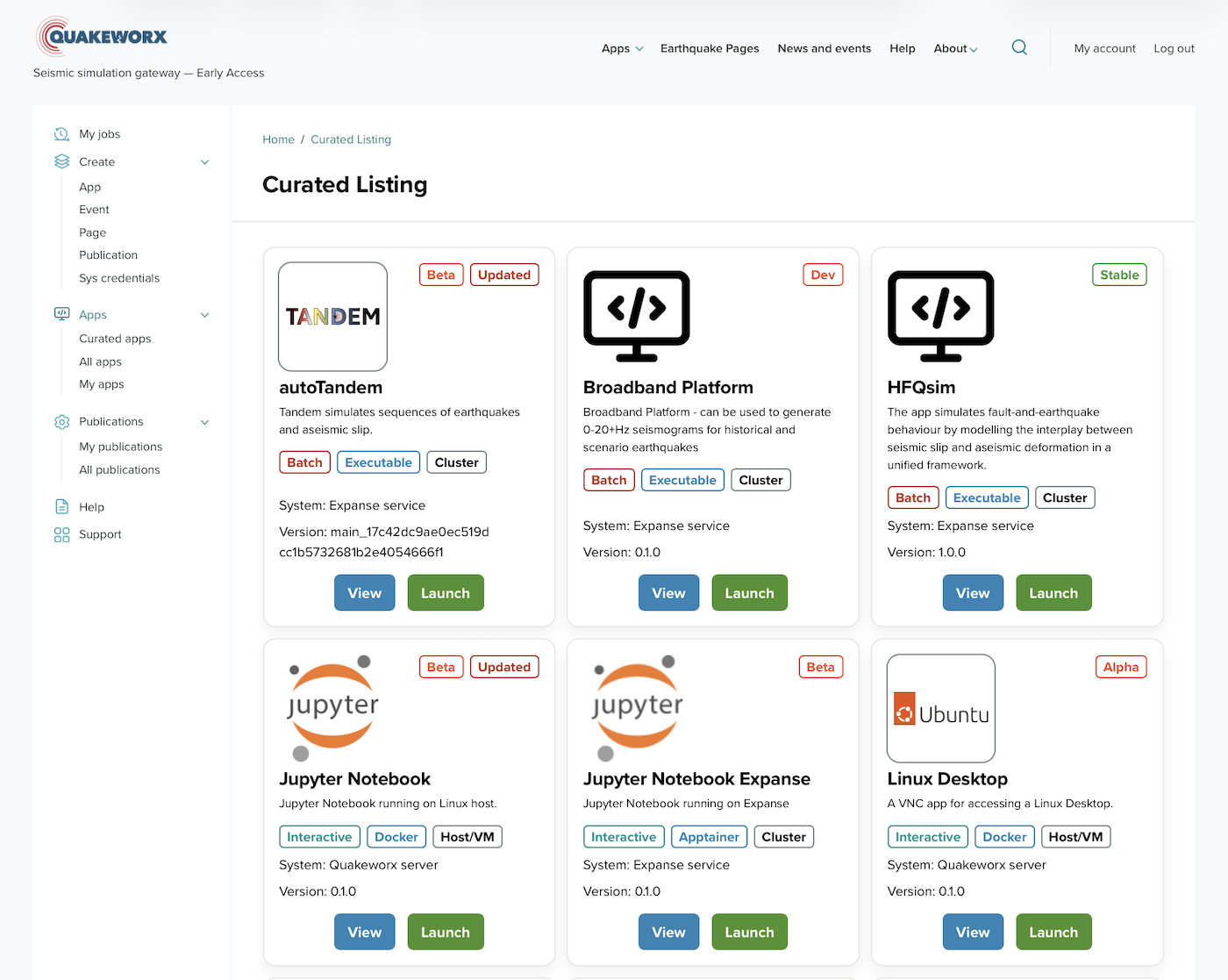
Quakeworx App Catalog · view full size
02 / Identify
Identify the right application
Each application has a detail page with description, version, status, and any usage or citation guidance from the app's author — so users can decide before they commit resources.

UCERF3 ETAS application detail · view full size
03 / Configure
Configure and launch
Custom launch interfaces built without writing code. Job name, resource allocation, system, and queue — all configurable through the browser, with input validation before submission.
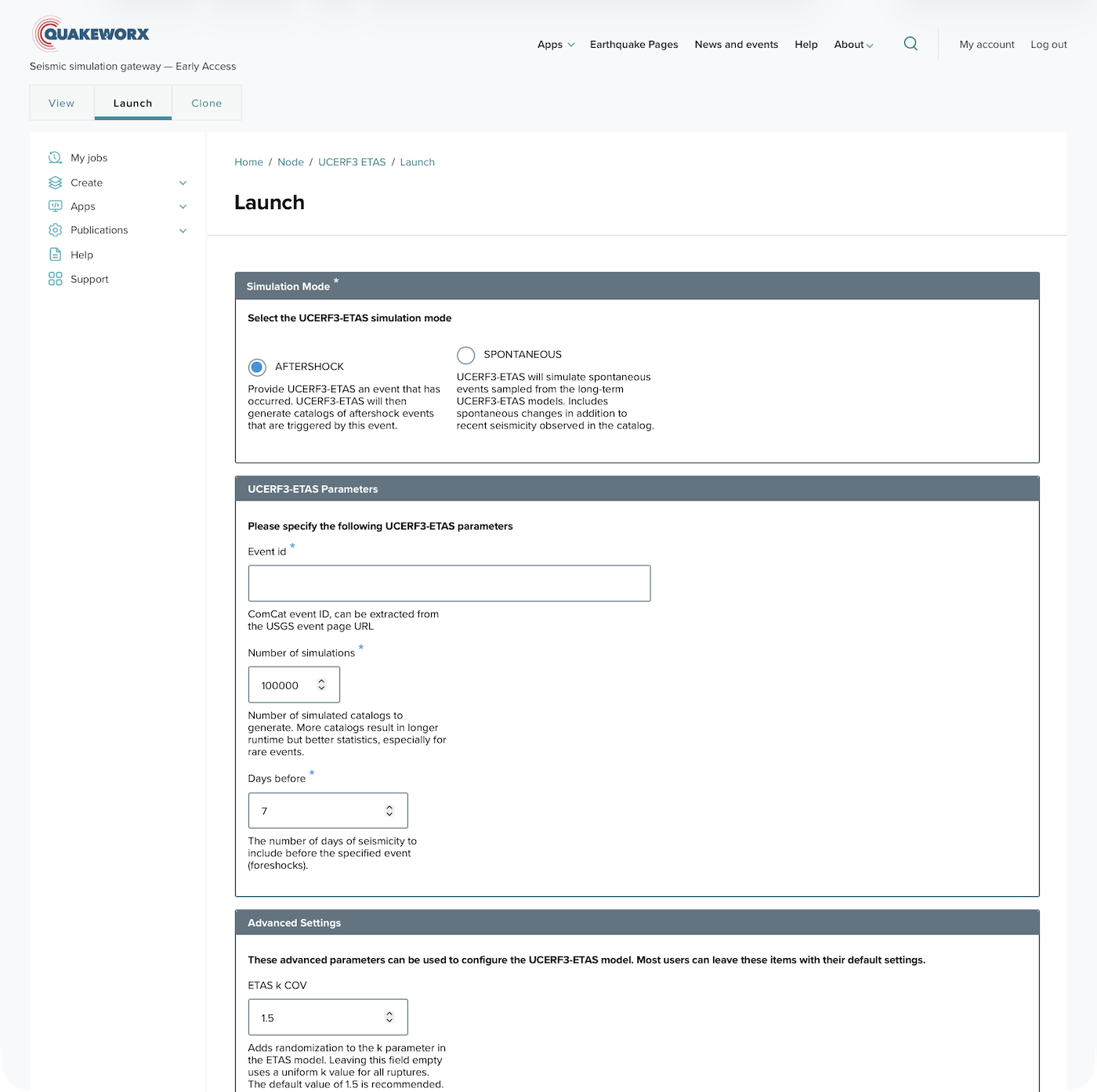
UCERF3 ETAS launch form · view full size
04 / Track
Track jobs in real time
Every job is tracked with its full parameter set, execution status, resource usage, and output files. Reproducible and restartable with one click — no need to reconstruct what was run or how.
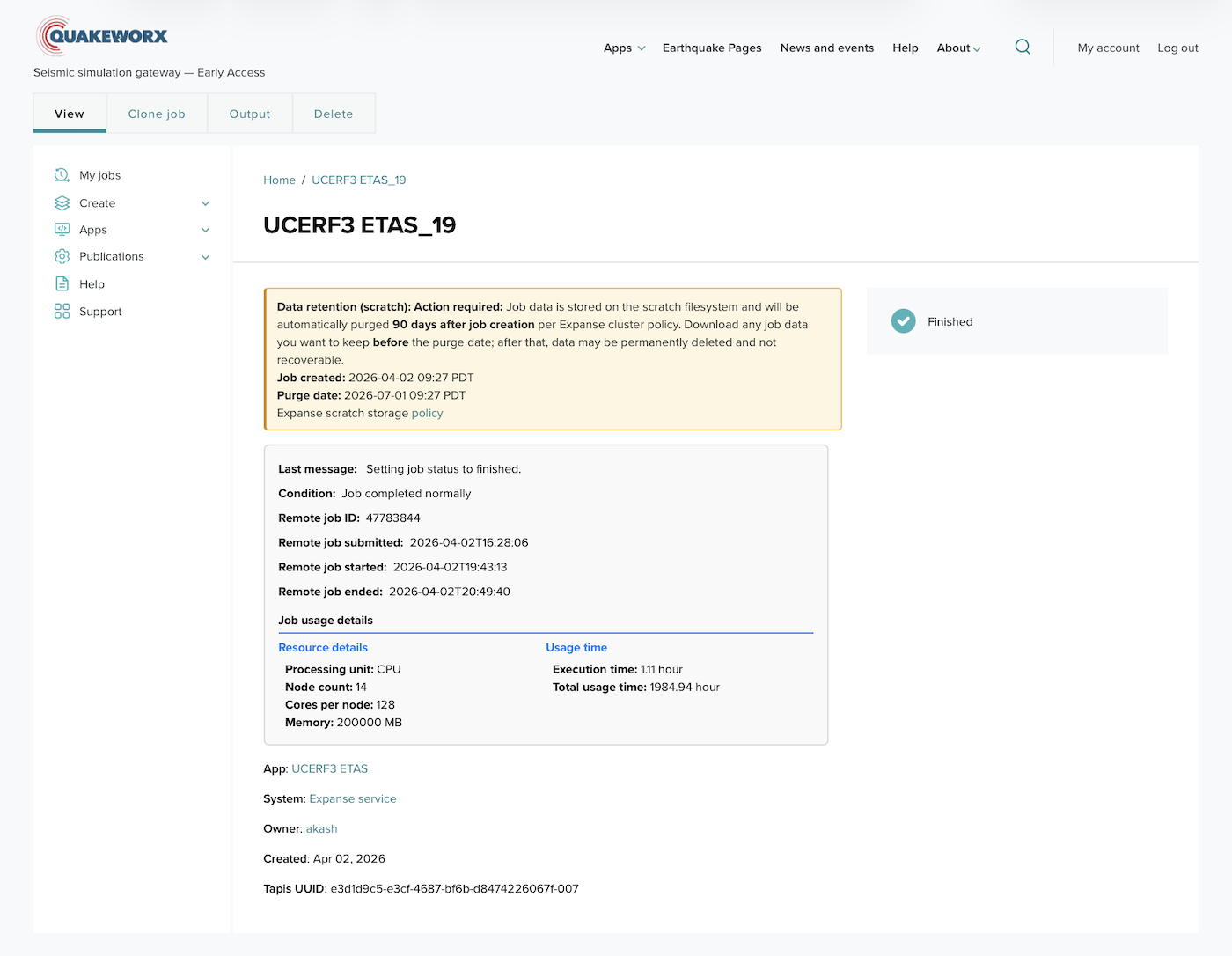
Completed job detail · view full size
05 / Review
Review and re-run past work
A complete history of every job run through your deployment — with status, system, and submission time. One click clones a previous job with its original parameters.
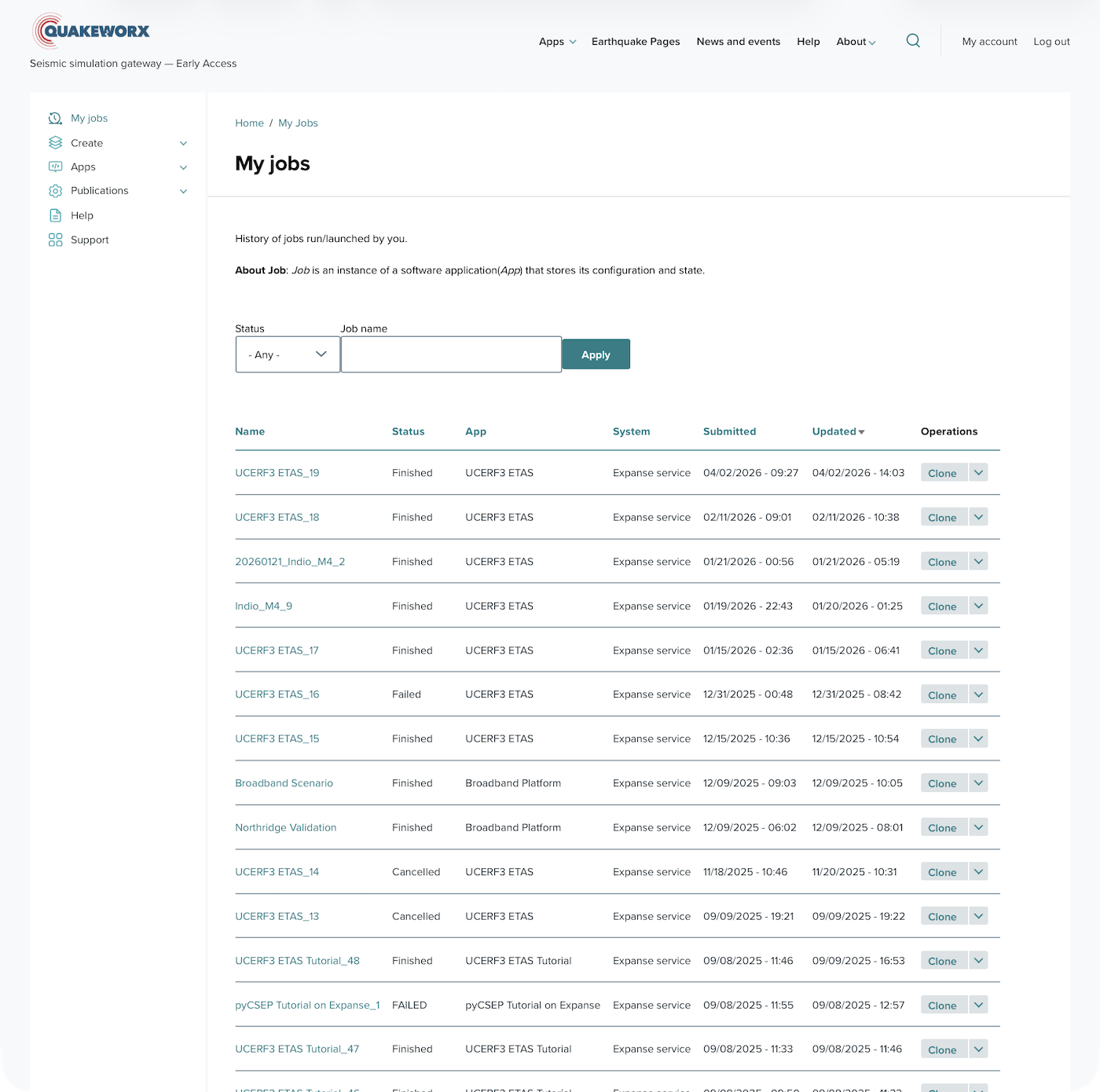
My Jobs history · view full size
06 / Publish
Publish citable outputs
Research outputs become citable, FAIR-compliant objects — with DOIs, author metadata, licenses, and downloadable files. Applications, datasets, notebooks, and reports can all be published and referenced from inside the platform.
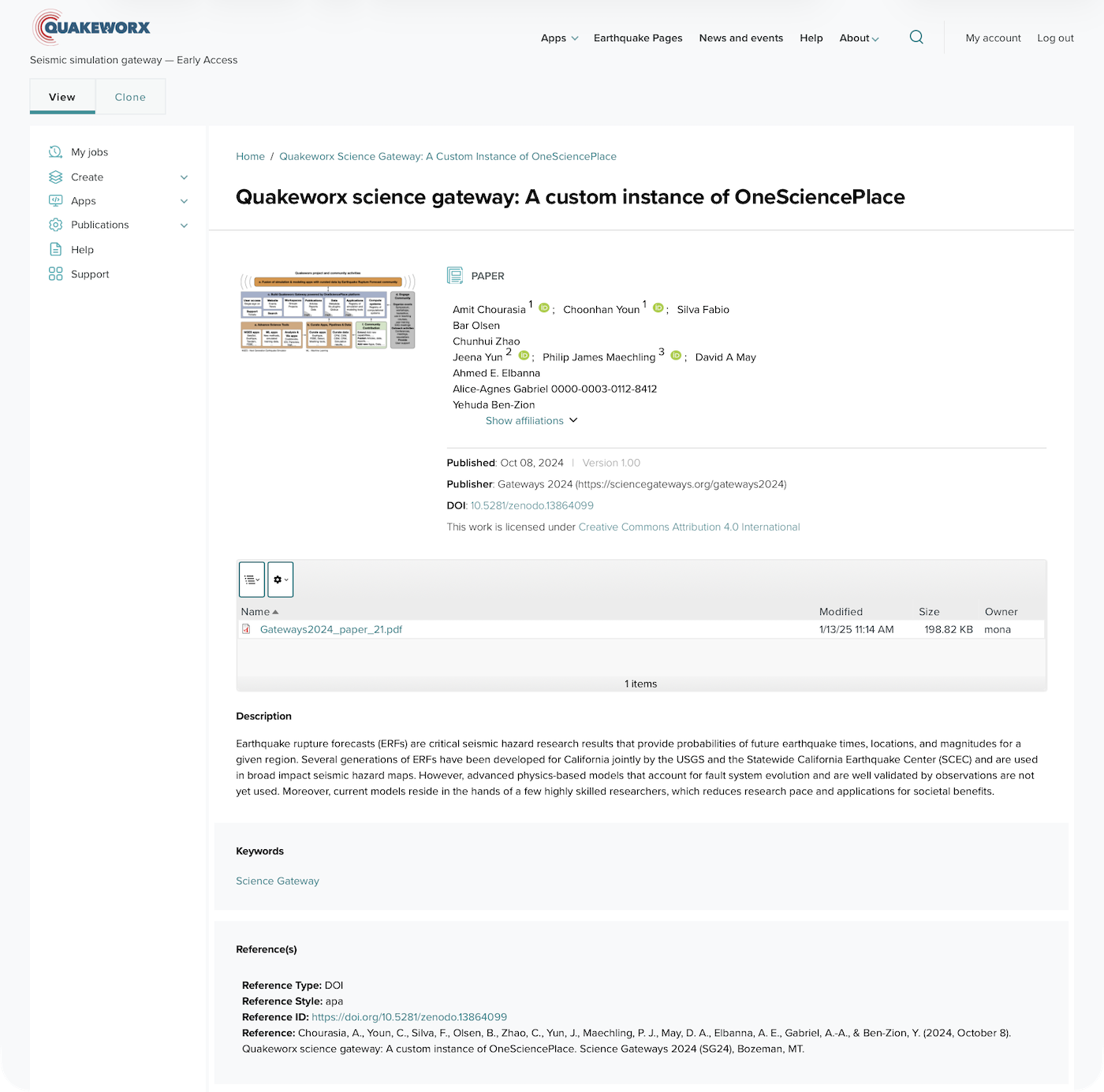
Quakeworx publication page · view full size
See OneSciencePlace in your environment
Talk with us about your project, or try the platform yourself in the pilot environment.
Request a demo Explore the pilot See deployments
All screenshots from Quakeworx, deployed on OneSciencePlace.