
Deliver Apps, Compute, and Data in a browser.
Enabling accessible computing, data, and software at scale — for research and education
OneSciencePlace provides institutions, research groups, and educators with a single platform for delivering web-based access to apps, data, and computing systems — configured to fit your project and supported by our team.
Jupyter
RStudio
MATLAB
Linux Desktop
Batch / CLI
Publications
Data Sharing
Building on 25 years of NSF-funded cyberinfrastructure
HUBzero·SeedMeLab·CIPRES·Apache Airavata·Tapis
Less to build. Less to maintain. More time for science and education.
OneSciencePlace handles the platform-level work typically required to stand up a research site, so your team's effort can stay focused on research, teaching, and supporting users.
Browser-based access for researchers
Researchers launch Jupyter, RStudio, MATLAB, and other applications directly in a web browser — no terminal or SSH required.
Researchers can contribute their own apps
Where institutional policy allows, researchers can publish and manage applications themselves, without waiting for systems staff.
Configuration over custom code
Deploy a full portal through configuration. Build launch interfaces for complex applications using a no-code form builder.
A unified routing layer for interactive apps
Interactive applications route through OSP without per-application reverse-proxy configuration on the connected systems.
No privileged access to connected systems
OSP integrates with HPC, cloud, and lab systems entirely in userspace — no elevated permissions on any connected resource.
Infrastructure managed for you
OSP is operated as a managed platform, with patching, uptime, and platform updates handled by our team.
One platform. Four core capabilities.
Compute, Apps, Data, and Publishing — composable to fit your research and educational needs. Start with what your project needs today; add the others as your project grows.
Compute
Connect to HPC clusters, standalone hosts, and the cloud. Submit batch and parallel jobs, launch interactive applications, and run workloads across multiple systems using a single browser interface.
Apps
Launch interactive web and graphical applications, batch executables, and scripts through a no-code browser interface. A built-in UI builder lets institutions create new apps without code — including launch forms, reproducibility, and granular access control.
Data
POSIX and S3/object storage, with sharing and data management across multiple systems. Bridge campus, HPC, and cloud storage through a single interface.
Publishing
Publish apps, datasets, and other research outputs with rich metadata and DOIs. Citable, open-access ready, and linked to the environments that produced them.
Featured project
Quakeworx: a browser-based gateway for earthquake simulation
Quakeworx delivers more than 20 domain-specific simulation tools and interactive notebooks to the seismology community through a single-browser interface. Built on OneSciencePlace in collaboration with SCEC, USC, UIUC, and Scripps Institution of Oceanography.
105
Researchers in the early-user phase
21
Curated applications
3
ACCESS systems (Expanse integrated, Stampede3 in beta, Delta incoming)
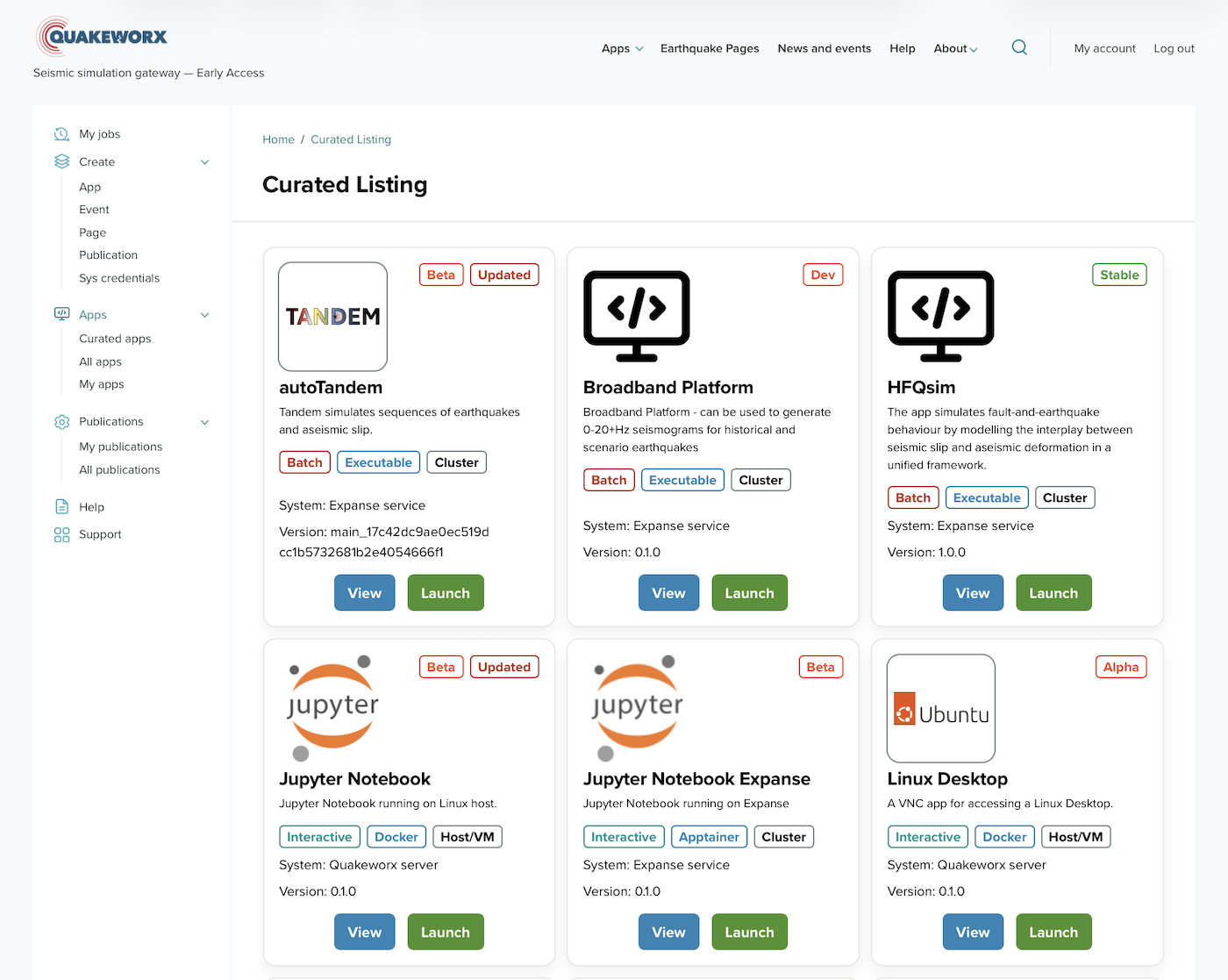
OneSciencePlace has enabled Quakeworx to deliver over twenty state-of-the-art earthquake simulation and analysis tools to the seismology community through a single browser interface — eliminating the need to build, maintain, and manage custom cyberinfrastructure from scratch.
— Yehuda Ben-Zion, Lead PI, Quakeworx · former SCEC Director
150min
Per session
85participants
Across two tutorials
Two years running. Tutorials at the 2024 and 2025 Science Gateways Conferences, participants used OneSciencePlace's tutorial environment to deploy applications, design custom interfaces with the no-code builder, and create Open Access publications — all in a single hands-on session. A few went further, deploying their own Docker container-based apps from scratch.
Where OSP fits
OneSciencePlace serves a single lab as readily as a multi-institution collaboration. The same platform supports each.
For HPC centersHPC & institutional portalsA shared platform for every research group on campus, integrating in user space without privileged access on the connected systems.Portal setup → For gateway buildersScience gatewaysOne or many applications across local, campus, and national resources. Integrates with ACCESS and NAIRR; no per-application proxy wiring required.Gateway setup → For PIs & labsLab & project environmentsShare applications, datasets, and outputs through a focused site. Bring new students into a working environment quickly, with shared access to the lab's tools and data.Lab setup → For instructorsCourses & workshopsPre-configured applications and a single sign-on for students. The same environment can be reused across semesters and adapted for workshops.Course setup →
How we deploy with you
OneSciencePlace is available today as a managed deployment. An engagement typically begins with a conversation about your project, and proceeds through five steps.
01 / DISCOVERY
Define the use case
Identify the applications, users, data, and infrastructure your site needs to support.
02 / CONFIG
Configure the environment
Site structure, branding, access model, and core platform components.
03 / CONNECT
Integrate systems
Identity, compute resources, storage, and related services — across heterogeneous systems.
04 / POPULATE
Apps & docs
Configure applications, data management, publishing, and user-facing documentation.
05 / OPERATE
Launch & run
Operated as a managed service, or aligned with your preferred operational model. Scope can scale as your needs evolve.
Technical capabilities
What OneSciencePlace connects to and how, for teams evaluating the technical fit.
Compute integration
Targets
Standalone VMs, hosts (no scheduler), and Slurm clusters. Integrates with ACCESS and NAIRR resources.
Private nodes
Proxy to non-public compute nodes behind NAT; only the gateway is internet-facing.
Parallel and GPU
MPI and many-task workloads supported; GPU where available on the target.
Identity & access
Federated SSO
OIDC and SAML, including CILogon, InCommon, and Globus Auth. LDAP supported.
Mixed identity providers
No shared IdP required across systems; per-system identity mapping.
SSH key bridging
Optional SSH key bridging binds web users to remote Unix accounts.
Open standards. Open roadmap.
OneSciencePlace is built on open-source software and open standards. It is currently available as a managed deployment. A unified open-source distribution for institutional self-hosting is planned, with proposal funding under review.
Tell us about your project.
We can discuss your needs and how OneSciencePlace might support them.